


Description
Download Cisdem Video Player – video player, free video player, 8K video player, subtitle support, audio track management, video conversion tool
Overview
Cisdem Video Player is a free audio and video playback application designed for Windows users seeking reliable support for a wide range of media formats. The app aims to eliminate format compatibility issues that often hinder smooth video playback, making it suitable for both casual viewers and media enthusiasts. It supports high-resolution content, including 8K Ultra HD, ensuring that users can enjoy videos in their intended quality without requiring additional codecs or third-party software.
Targeted at individuals who frequently encounter rare or non-standard video formats—such as MXF, MKV, or FLAC—Cisdem Video Player offers a streamlined solution for playback without technical hassle. Its multilingual capabilities, including subtitle and audio track management, make it ideal for users who regularly watch foreign films, educational content, or international media. The app also serves as a utility for those needing to convert less common video formats into more accessible ones, though this feature requires a paid upgrade.
Developed by Cisdem, the application positions itself as a productivity tool within the Windows ecosystem, offering a lightweight yet powerful alternative to standard media players. While the developer did not provide additional technical details about the app’s architecture or development history, the release date of September 2, 2024, indicates a recent update, suggesting ongoing support and optimization.
Key Features & Functionality
- Wide Format Compatibility: Supports nearly all common and uncommon audio and video formats, including MP4, AVI, MKV, MXF, and FLAC. This eliminates the need for external codecs or format converters during playback.
- 8K Ultra HD Playback: Engineered for smooth rendering of high-resolution videos, delivering sharp visuals and consistent frame rates even with demanding content.
- Subtitle and Audio Track Management: Allows users to switch between multiple subtitle files and audio tracks seamlessly, enhancing accessibility and personalization for multilingual content.
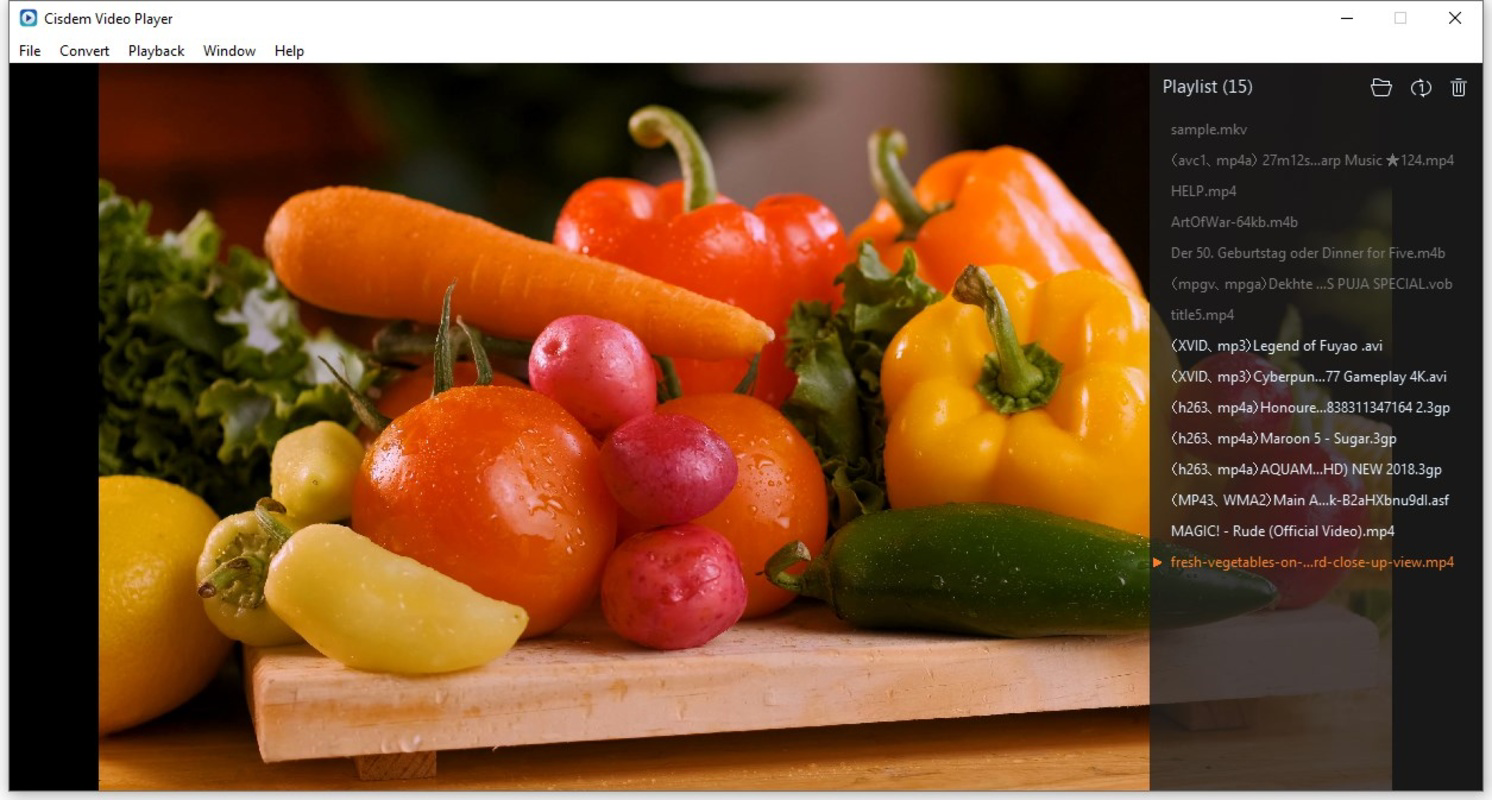
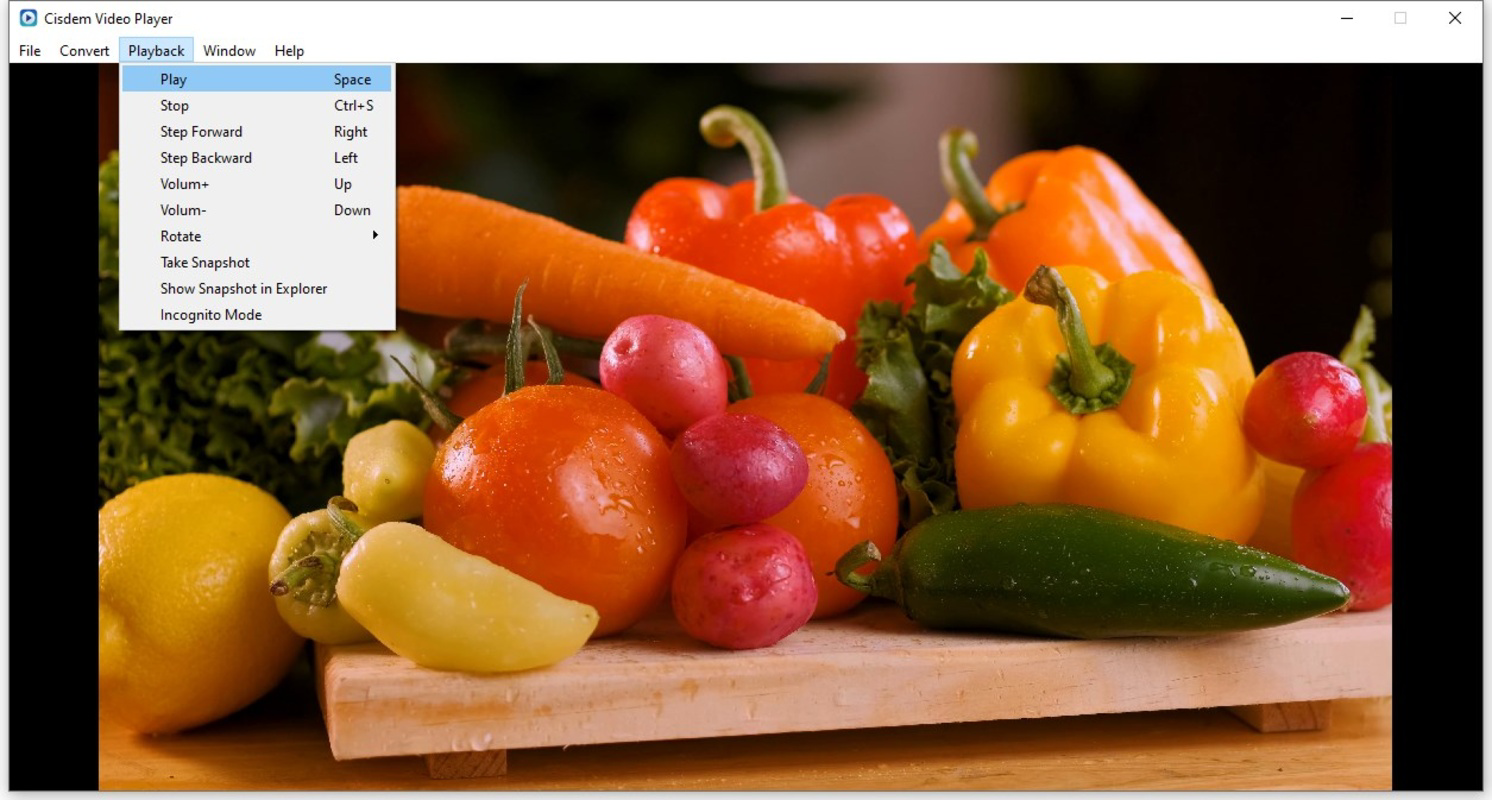
- Intuitive User Controls: Offers full-screen, mini-screen, volume, and playback progress controls with responsive, easy-to-navigate interface elements.
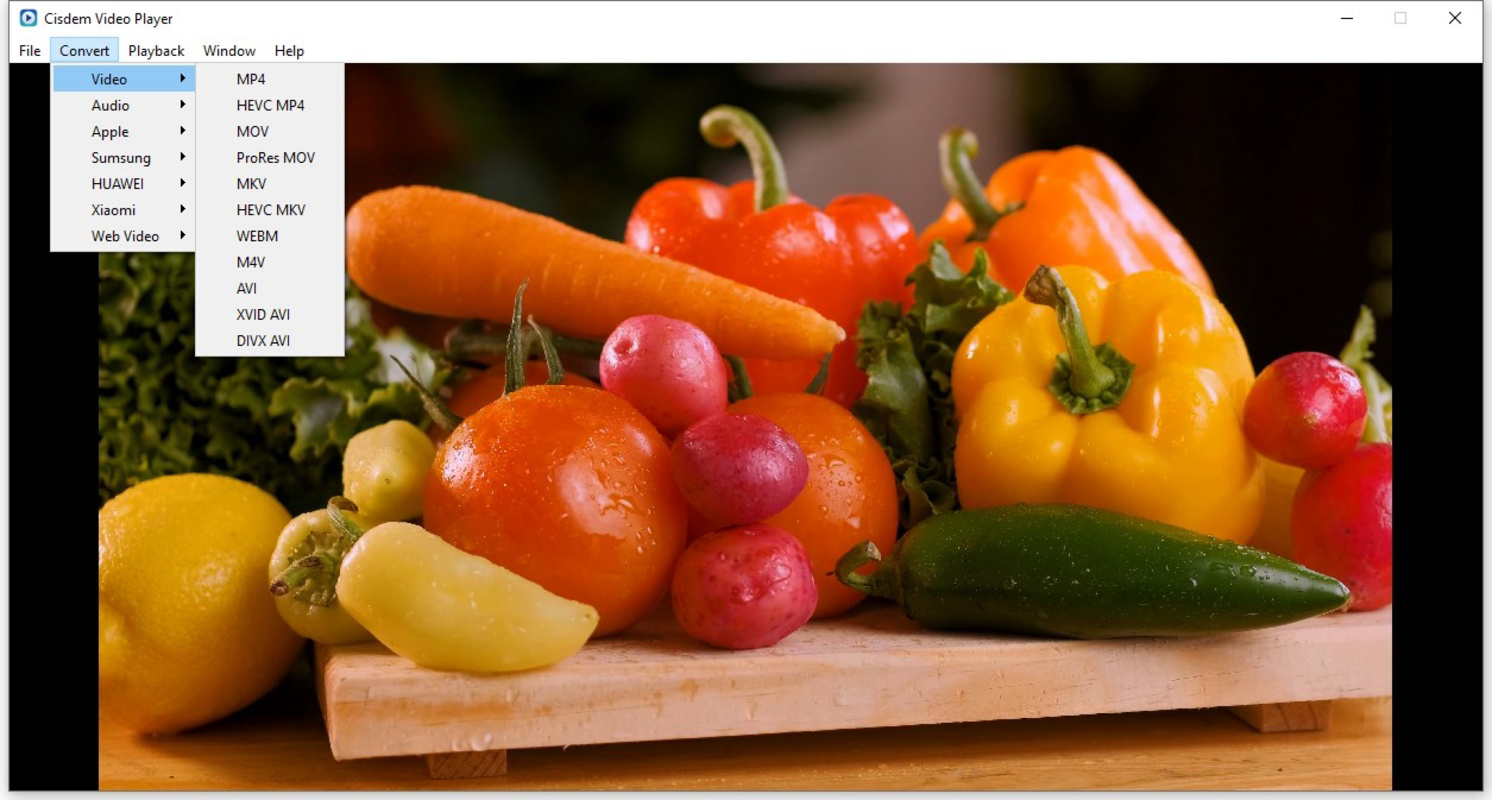
- Video Conversion Tool (Premium Feature): Enables conversion of rare video formats into widely supported ones. This functionality is available only after a paid upgrade.
For example, a user downloading a documentary in MXF format from a professional camera can play it directly without conversion. Similarly, a viewer watching a Japanese anime with multiple language options can toggle between audio tracks and subtitles effortlessly. The conversion tool is particularly useful for archiving or sharing media across devices that don’t support niche formats.
Interface, UX & Performance
Cisdem Video Player features a clean, minimalist interface that prioritizes functionality over visual clutter. The layout centers around the playback window, with essential controls positioned at the bottom and side panels for subtitles and audio settings. Navigation is straightforward, with intuitive icons and responsive touchpoints, making it accessible to users of all experience levels.
Visual style is modern and unobtrusive, focusing on the content rather than decorative elements. The player adapts well to different screen sizes and resolutions, offering both full-screen and mini-screen modes for flexible viewing. Users can adjust brightness, contrast, and aspect ratio directly through the interface, enhancing the overall viewing experience.
Although the developer did not list formal performance metrics, the app’s ability to handle 8K Ultra HD content suggests efficient resource management. Performance on older or lower-end devices was not specified, but the 47.2 MB file size indicates a lightweight footprint, which generally correlates with lower system demands. Responsiveness and stability appear consistent based on the app’s core functionality, though real-world testing across diverse hardware configurations was not disclosed.
Platform Compatibility & Technical Requirements
Cisdem Video Player is available exclusively for Windows, with a current version of 3.2.0. The application has a file size of 47.2 MB, making it a compact download suitable for systems with limited storage. The developer did not specify minimum OS requirements or hardware specifications, so compatibility with older Windows versions or low-end devices remains unclear.
Users should verify system compatibility before installation, especially if operating on Windows 7 or earlier. While the app supports high-resolution playback, the absence of detailed technical requirements means that performance may vary depending on the device’s GPU, RAM, and CPU capabilities. The release date of September 2, 2024, indicates a recent update, which may include optimizations for newer Windows builds.
Pros and Cons
Pros
- Supports a broad range of video and audio formats, reducing the need for additional software.
- Capable of playing 8K Ultra HD content with smooth performance.
- Offers seamless subtitle and audio track switching for multilingual viewing.
- Intuitive interface with easy-to-use playback controls.
- Free to download and use, with optional premium features for advanced functions.
Cons
- Video conversion feature requires a paid upgrade, limiting full functionality for free users.
- Specific system requirements were not listed, which may affect installation on older systems.
- Compatibility with non-Windows platforms was not disclosed.
- Performance on low-end hardware was not confirmed.
- Developer did not provide detailed information on update frequency or long-term support.
FAQ
Is Cisdem Video Player safe to download and install?
Yes, the app is available for free and does not contain known malware. It is distributed through official channels, and the developer has not reported any security issues as of the release date.
Can I use Cisdem Video Player on macOS or Linux?
The developer did not disclose support for macOS or Linux. The app is currently available only for Windows platforms.
Does Cisdem Video Player support 8K video playback?
Yes, the app is optimized for 8K Ultra HD video playback, ensuring smooth rendering and high visual clarity.
Is the video conversion feature free?
No, the video conversion tool is a premium feature that requires a paid upgrade to unlock.
How often does Cisdem Video Player receive updates?
The developer did not specify update frequency. However, the latest version was released on September 2, 2024, suggesting active maintenance.
Final Thoughts
Cisdem Video Player stands out as a capable and accessible media solution for Windows users who value format compatibility and high-quality playback. Its ability to handle 8K content and manage multiple audio and subtitle tracks makes it a strong choice for both personal and professional use. While the free version offers robust core functionality, the limited access to conversion tools may prompt advanced users to consider the paid upgrade.
For individuals seeking a lightweight, secure, and easy-to-use video player that supports rare formats and multilingual content, Cisdem Video Player delivers significant value. Whether you're watching a home video, a foreign film, or a high-resolution documentary, this app ensures a smooth and customizable viewing experience.
Download Cisdem Video Player now
Guides & Tutorials for Cisdem Video Player
How to install Cisdem Video Player
- Click the Preview / Download button above.
- Once redirected, accept the terms and click Install.
- Wait for the Cisdem Video Player download to finish on your device.
How to use Cisdem Video Player
This software is primarily used for its core features described above. Open the app after installation to explore its capabilities.
User Reviews for Cisdem Video Player 0
No reviews found


